Family Quiz Night at Home: Free Quiz on TV, Play on Phones
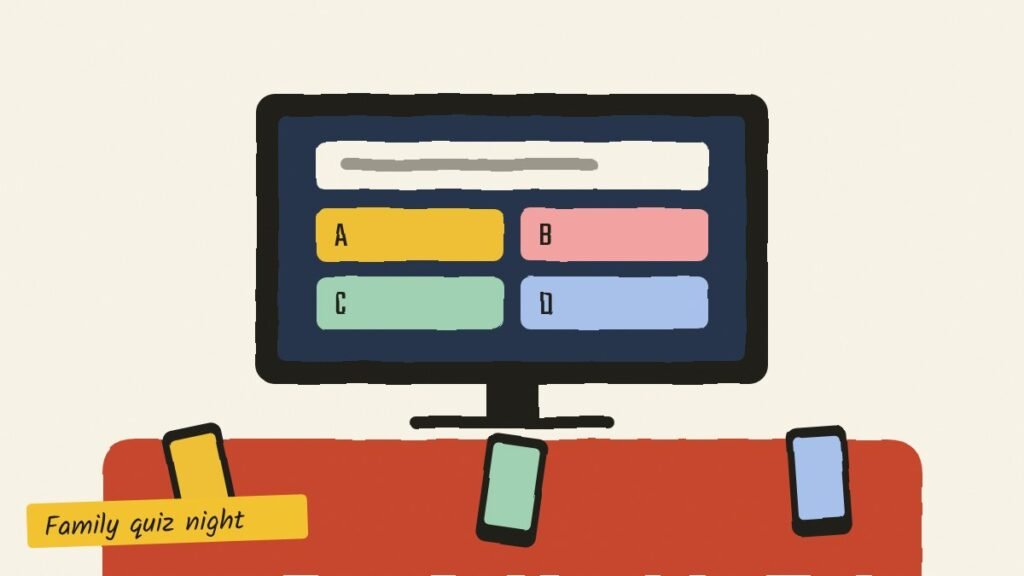
A family quiz night works best when nobody has to be the quizmaster reading questions off a phone, and when grandparents and nine-year-olds can play in the same game. That’s what our free Family Game Night is built for: the quiz goes up on the TV or laptop, and everyone answers on their own phone. Here’s how to set one up in five minutes, which rounds suit which family, and the small things that make the evening go well.
What you need
- One big screen: a smart TV’s browser, a laptop connected to the TV, or a laptop or tablet everyone can see.
- A phone each: any smartphone with a browser. There’s no app to install and no sign-up.
- Players: from 2 to 30. You set the number when you start.
- About 20 to 40 minutes: four rounds of four questions takes about twenty minutes, with scores in between.
How to set up a family quiz night, step by step
- Open Family Game Night on the big screen.
- Pick your rounds, how many questions per round (3, 4 or 5), the level, and how many players.
- Tap Start a Game Night. The screen shows a QR code and a six-letter room code.
- Everyone scans the QR code with their phone camera, or opens the link and types the code, then adds a first name.
- When everyone’s name is on the screen, tap Start. Questions appear on the TV and on every phone at the same moment.
- Tap your answer on your phone. Right answers score, and faster right answers score more.
- After each round the TV shows the scoreboard, and at the end there’s a podium.
The 19 rounds, and who they suit
| Round | What it is | Good for |
|---|---|---|
| Emoji Filmy | Guess the Indian film from three or four emojis | Teenagers, parents, film buffs |
| Emoji Places | Guess the city or place from emojis | Everyone; good warm-up |
| Desi GK | India general knowledge | Mixed ages |
| Delhi NCR | Monuments, markets, metro and history of the city | Delhi families, newcomers learning the city |
| Khana Peena | Food from every state | Everyone, especially the cooks in the family |
| Cricket Crazy | World Cups, IPL, records | Cricket fans of every age |
| Sports Stars | Olympics, chess, football, kabaddi | Sporty children and parents |
| Animal World | Animals and India’s wildlife | Younger children |
| Science & Space | Planets, ISRO, the human body | Students, curious grandparents |
| Around the World | Capitals, landmarks, currencies | Mixed ages |
| Indian History | The freedom struggle, Mughals, Mauryas | Older children, grandparents |
| Ramayana & Mahabharata | Characters and stories from the two epics | Grandparents and grandchildren together |
| Cartoons & Kids TV | Doraemon, Chhota Bheem, Disney and more | Children (and parents who watch with them) |
| Riddles | Classic riddles with four answers | Everyone |
| Quick Maths | Mental sums against the clock | School-going children |
| Word Play | Spellings, opposites, idioms | Older children and adults |
| Who’s most likely to…? | Everyone votes for someone in the room | The funniest round for any family |
| Diwali Special and Diwali “most likely” | Festival questions and votes | Diwali evenings |
For a mixed family, try Emoji Places, Khana Peena, Riddles and Who’s most likely to…? It covers everyone and ends with laughter rather than a maths sum.
Easy, Medium and Hard: picking a level
Every question has a level, and the clock depends on it: 5 seconds for Easy, 7 for Medium and 10 for Hard. Harder questions are worth more: 500, 750 or 1,000 points for a right answer, plus up to 500 more for speed.
- Easy to hard (the default) starts each round with an easy question and makes every question harder. It’s the best choice for mixed ages.
- Easy suits young children and a relaxed evening.
- Hard is for the family quiz champions. Ten seconds sounds generous until you read the question.
Is it fair? The fastest finger, on different phones
Yes. Every question appears on the TV and on every phone at the same moment, and each tap is timed against the same clock. A phone on slower Wi-Fi doesn’t give its owner extra time to read the TV first, and doesn’t make them slower either. Once you tap, your answer is locked in, even if it takes a moment to reach the TV.
Playing with family in another city
Before you start, tap Send on WhatsApp on the TV screen. Your relatives get two links: one to play on their phones, and a big-screen link for their own TV or laptop. Their screen shows the same questions, scores and podium as yours, at the same moment. Everyone plays on their phones, so it doesn’t matter who is in which house. A video call alongside is a bonus, for the cheering.
Tips from families who play every week
- Seat the youngest closest to the TV. They read the question on the TV and tap on the phone, and small hands are quick.
- Use first names or nicknames. Names show on the scoreboard, and nicknames make it funnier.
- Keep it to four rounds. Twenty minutes is the sweet spot, and you can always play a second game.
- End on “Who’s most likely to…?” Nobody remembers who won the maths round. Everybody remembers who was voted most likely to fall asleep at a wedding.
- Turn it into a cup. For a longer evening, try a family games tournament after the quiz.
Questions people ask
Do we need to download an app?
No. Family Game Night runs in the browser, on the TV and on the phones. Nothing to install, no accounts.
How many people can play?
From 2 to 30 players, each on their own phone, plus the big screen.
Can we play without a TV?
Yes. A laptop or tablet works as the big screen. And because the questions and answers also show on each phone, people can play even if they can’t see the big screen.
Is the room private?
Yes. Only people with the code or link can join, rooms close after two days, and only first names are used.
Will we get the same questions every time?
There are about 400 questions. The big screen remembers what it asked on recent nights and picks fresh ones.
Start a Family Game Night · More games for the whole family in Family Face-Off